

Google Goes Full‑Stack AI!
Google’s AI IDE can now ship real apps end‑to‑end, not just pretty demos.

For years, AI “app builders” have mostly spat out pretty prototypes and half‑working UIs. Google just crossed that bridge and AI Studio is now building full‑stack apps – meaning frontend, backend, and the deployment, all of it from one single conversation. This isn’t just ChatGPT that happens to know React, it’s a browser IDE that can ship something you can actually share with users.
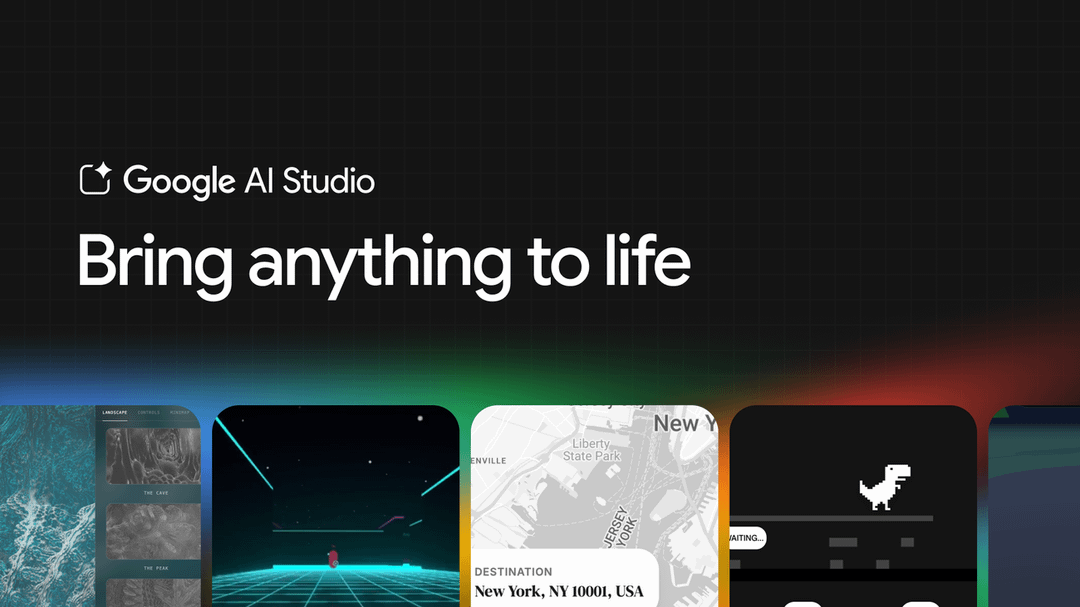
So What changed?
In the new Build mode, you describe the product you want and AI Studio generates three things at once:
the interface,
the underlying logic, and
a live preview you can click around.
It runs entirely in your browser at https://aistudio.google.com
so there’s no local setup, no repo, no “install Node first” step.
The “full‑stack” shift is that there’s now a real server behind your app, not just browser code.
That server can safely hold API keys, talk to external services, and keep shared state so multiple users see the same data in real time.
In practical terms, you can say “add login and save my data,” and it wires up Firebase Auth and a database for you.

What “full‑stack” actually means here?
Server runtime: AI Studio now includes a server-side Node.js runtime so your app has backend logic, not just browser-side React or HTML.
Secrets and APIs: You can store API keys and call third‑party services (Stripe, SendGrid, custom REST APIs, etc.) securely from that server code.
Databases and auth: Native integration with Firebase (Firestore + Firebase Auth) lets the agent spin up persistent storage and user authentication when your app needs them.
npm ecosystem: The Antigravity coding agent can auto‑install and wire up npm packages (axios, Three.js, UI kits, etc.) when you ask for features that require them.
Real‑time & multiplayer: Because there is now shared server state, you can ask for things like “live chat”, collaborative whiteboards, leaderboards, or multiplayer games and have them managed centrally.
Why this is different from before?
Previously, AI Studio was mostly a prototype playground: great for front‑end demos and Gemini prompts, but you had to export the code and wire a backend elsewhere (Firebase Studio, your own stack) for anything real.
With the March 2026 update, the same environment can take you from prompt → UI → backend → live, production‑style app, including Firebase integration and external APIs, all orchestrated by the coding agent.
SO What “Full‑Stack” Actually Adds in simple words?
The big change is that AI Studio now includes a server‑side runtime behind the scenes.
That server can:
Store secrets like API keys safely so they’re not exposed in the browser.
Call external APIs (for example, a weather API or payment API).
Keep shared state so multiple users can see the same data in real time (chat apps, collaborative boards, multiplayer tools).
You can even ask it to use popular npm packages; the agent will install and import them for you.
Technical guide: - Full‑stack / npm / secrets: https://ai.google.dev/gemini-api/docs/aistudio-fullstack
Useful links if you want to poke it yourself:
Build mode basics: https://ai.google.dev/gemini-api/docs/aistudio-build-mode
Full‑stack runtime (APIs, secrets, multiplayer): https://ai.google.dev/gemini-api/docs/aistudio-fullstack
Friendly beginner guide: https://exploreaitogether.com/how-to-use-google-ai-studio/
Why this matters for indie hackers and no‑coders?
If you’re non‑technical or “code‑curious,” this quietly moves the goalposts on what you can ship solo.
A single prompt can now get you »
a working web app,
basic auth,
a database, and
a one‑click deploy to Cloud Run with a public URL.
[ In this newsletter you get sharp, unfiltered short essays; for full‑length, deep‑dive analysis on AI, subscribe to our companion publication, Intelligent Founder AI. ]
That’s the stack most SaaS MVPs need. ✅
For no‑code founders, the interesting bit isn’t that Google made yet another builder; it’s that AI Studio sits directly on the same Gemini API and Google Cloud stack you’d eventually grow into anyway. You can stay in the sandbox while you’re validating an idea, then export the code or call the same models from a “real” backend once something hits.
Good stepping‑stone resources: 👍
“How to build an app with AI” on Google Cloud: https://cloud.google.com/use-cases/how-to-build-an-app-with-ai
Getting started with Gemini for web apps: https://developers.google.com/learn/pathways/solution-ai-gemini-getting-started-web
The opportunity (and the trap 🪤 )
The opportunity is that you can run more experiments, faster, with less engineering overhead.
Idea → prompt → usable tool, in an afternoon is now genuinely realistic for a large class of apps.
That’s free surface area for testing positioning, pricing, and workflows before you drag actual engineers or your future self – into a rewrite.
The trap? and there is one.
Assuming this replaces engineering entirely. Under the hood, you’re still getting a conventional web app, with all the usual issues around security, data modelling, and long‑term maintenance. So the lesson here is ? —
Treat AI Studio as an acceleration layer for validation, not as the final home for a business you expect to be running in five years.
Weekend Build Idea?
Ship a Tiny B2B SaaS 🐝
Idea: “Inbox Triage for Founders” – connect Gmail, auto‑tag investor vs customer vs admin emails, and show a simple priority queue in a web dashboard.
Prompt: In AI Studio Build mode, ask: “Create a B2B inbox triage dashboard for startup founders. Connect to Gmail via API (stub the auth flow), display a three‑column kanban (Investor, Customer, Admin), and let me drag emails between columns. Add basic login and store board state per user.”
Why it’s interesting?
You get to test an opinionated workflow (how founders should process mail) without building the whole product: one screen, one workflow, live URL you can share with 3–5 friends for feedback.